

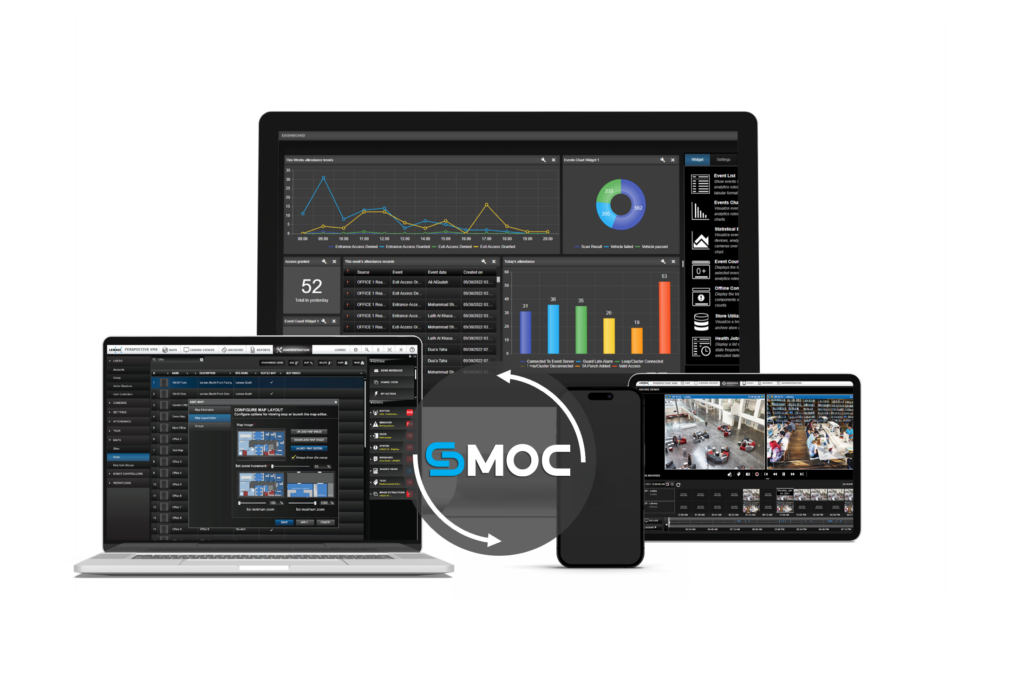
LENSEC delivers its security platform as an on-premises web application. The platform is deployed on infrastructure owned and managed by the organization, with operators accessing the application through a modern web browser rather than a dedicated desktop client.
SMOC, Perspective VMS, Perspective AI, and LACS are all part of this environment. The application runs within the organization’s infrastructure, while the browser provides the interface operators use to monitor, investigate, respond, and manage security operations.
That is a deliberate architectural and deployment decision. It has practical consequences for how security teams operate, how IT manages the environment, and how organizations expand their security infrastructure over time.
This blog explains what an on-premises web application means in practice and how delivering the platform this way changes the day-to-day experience of running a security operation.
What Desktop Clients Actually Cost
Client software is not just an installation. It is a recurring obligation. IT must deploy, update, and maintain the client on every workstation running the security platform. When the application updates, that update has to reach every machine in the environment. When a new operator joins, IT provisions their access before that person can log in on day one.
Remote access adds another layer. An operator working offsite typically needs a VPN connection and the client software running on their remote machine. For a contractor brought in temporarily, IT installs client software on their device, software that will need to come off again once the engagement ends.
None of these are exceptional problems. They are normal IT overhead that come with the client-based model. In smaller environments, the burden is manageable. In larger ones, or in organizations where IT and security share the same small team, that overhead compounds steadily over time.
What An On-Premises Web Application Means in Practice
An on-premises web application combines two important characteristics: where the application is deployed and how users access it.
On-premises means the application and its supporting infrastructure are deployed within the organization’s own environment rather than being hosted entirely by an external cloud provider. The web application model means users interact with that application through a browser rather than relying on dedicated software installed on each workstation.
This approach gives the organization control over its deployment environment and infrastructure, while allowing operators to access the application without a separate desktop client.
The distinction is also important when comparing a full web application with a browser-based companion.
Some security platforms offer a web viewer alongside their primary desktop client. In those environments, the browser may provide only a subset of the platform’s capabilities.
LENSEC’s approach is different. The browser provides access to the full application. Operators do not need a separate desktop client simply to access the platform.
Across the LENSEC Platform
LENSEC built its platform as an on-premises web application, with its major components accessible through a browser. SMOC, the Security Management Orchestration Center, operates as a browser-based command center. The full orchestration layer covers video, access control, alarms, maps, and workflow automation, all accessible from a browser with no dedicated console required.
Perspective VMS (PVMS) uses the latest web technologies. The complete video management feature set is accessible from any modern browser, including multi-view, maps integration with live viewing, and mobile support on Android and iOS.
Perspective AI (PAI) activates within the existing SMOC and Perspective VMS interface. No separate installation, no external software layer. AI analytics are available through the same browser session operators already use.
LACS, the LENSEC Access Control System, is also browser-based. That is a meaningful distinction in the access control category, where proprietary client software has historically been the norm.
The platform scales across unlimited users, cameras, and servers. Adding capacity does not add client software complexity. A new site, a new operator, or a new server joins the same browser-accessible environment.
What This Looks Like Day to Day
A security director managing multiple sites can access the SMOC interface from a laptop while traveling, provided the organization’s network and security policies permit that access. There is no separate security application to launch on the device.
A new operator joins the team. IT creates the appropriate account and provides access to the platform. The operator can use an existing workstation rather than waiting for dedicated security client software to be deployed.
An organization adds a new facility to its security environment. The security platform remains deployed on the organization’s infrastructure, while operators at the new site can access the application through their existing workstations.
The difference is not simply about eliminating an installation. It is about where the application lives, how it is deployed, and how users interact with it.
Who Notices This Most
The operational difference is clearest in specific environments.
IT-lean teams, where one person or a small group manages both network infrastructure and physical security software, feel client overhead directly. Every machine running the security client is another item on the maintenance list. Browser-native access removes those machines from that list entirely.
Multi-site organizations, particularly those where operators monitor remotely or move between locations, benefit from access that travels with the user rather than being tied to a provisioned workstation.
Organizations in growth mode find that a browser-based platform scales without a corresponding increase in IT deployment work. New users get access. Existing workstations stay exactly as they are.
Environments with rotating or temporary staff, whether events, construction phases, or seasonal operations, can extend and withdraw access without touching a single piece of hardware.
A Different Starting Point
An on-premises web application is a decision about both deployment and access.
LENSEC deploys its security platform within the organization’s infrastructure, giving the organization control over where the application and its supporting systems reside. Operators access the full platform through a web browser without relying on dedicated desktop clients.
SMOC, Perspective VMS, Perspective AI, and LACS operate within this environment, giving security teams a unified way to monitor, investigate, respond, and manage their operations.
For organizations managing complex security environments, multiple sites, and limited IT resources, that approach can simplify how the platform is accessed and maintained.
The browser is the interface.
The organization’s infrastructure is where the application lives.
And the security operation runs in between.
To learn more about SMOC and the LENSEC platform, visit www.lensec.com.